 E-CommerceGenerative AI in Online Retail: Uses That Pay BackGenerative AI ecommerce uses ranked by payback and risk: product descriptions, AI search and support assistants, plus Arabic quality checks for UAE stores.
Ecommerce UX Fixes That Lift Product and Checkout Sales
Ecommerce UX best practices ranked by impact: search, filters, product page answers, trust signals and mobile checkout fixes, each with a simple way to test it.
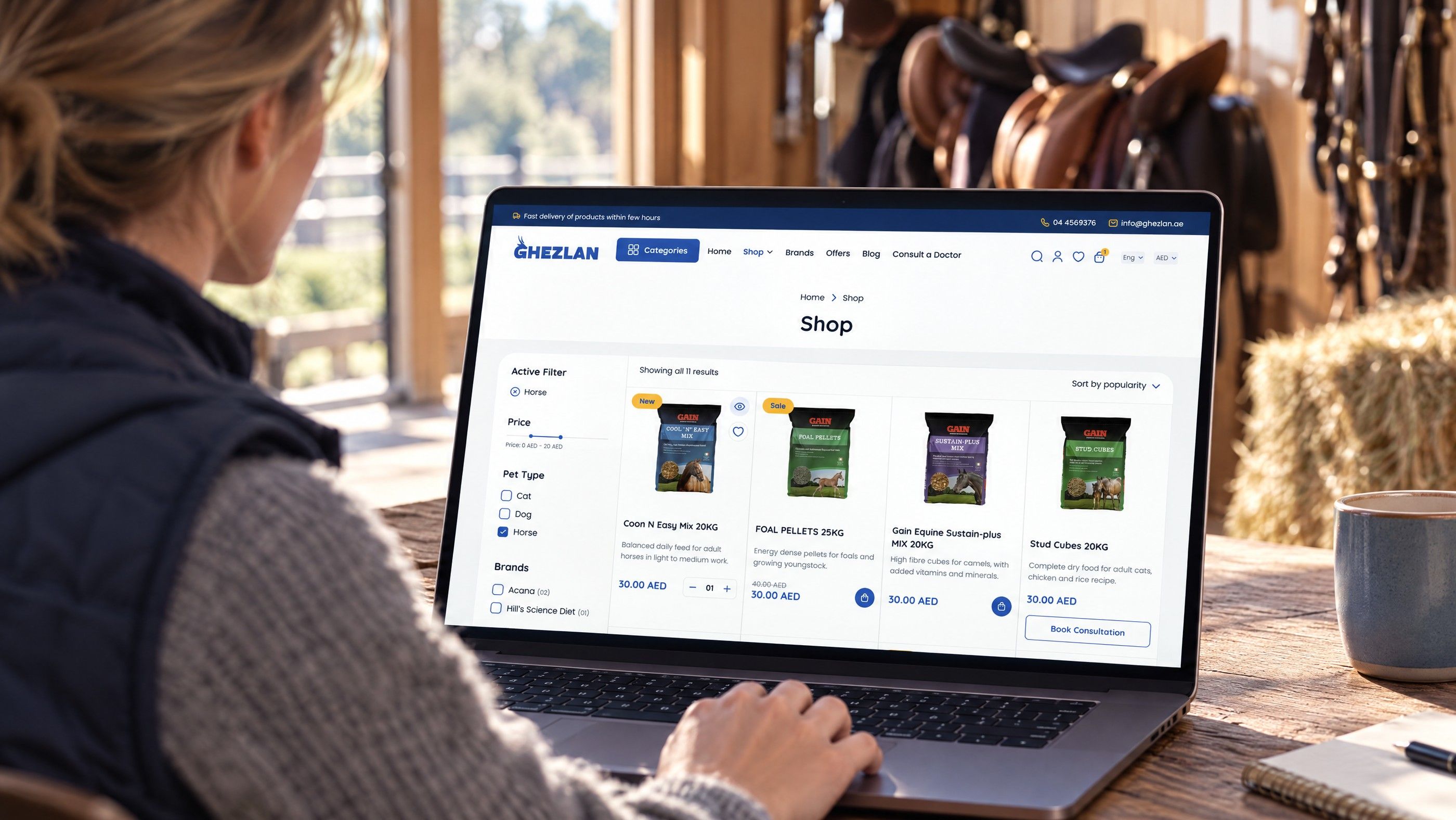
The ecommerce UX best practices that move sales sit in two places: how quickly shoppers find the right product, and how little resistance they meet between the cart and the confirmation page. Homepage redesigns rarely change revenue on their own. Fixing search, filters, product page answers and checkout friction usually does, and each fix can be tested before you commit to it.
This guide ranks the fixes in the order most stores should tackle them, explains what each one solves, and gives a simple way to check whether it worked on your own traffic.
How to prioritise ecommerce UX best practices
Every store has a long list of possible improvements. The trick is to start where shoppers with clear buying intent are being lost. A visitor who has added something to the cart is worth far more attention than a visitor glancing at the homepage banner.
Before changing anything, set up a basic funnel in your analytics tool with these steps:
- Product listing or search results viewed
- Product page viewed
- Item added to cart
- Checkout started
- Shipping details completed
- Payment completed
Split the funnel by device. For many UAE stores, much of the traffic arrives on phones from Instagram, TikTok, WhatsApp links and search, so check the mobile funnel first; it is often where the steepest drop sits. The step with the steepest fall between two stages is your first priority.
A simple scoring method
Score each candidate fix from 1 to 3 on three questions, then work from the highest total down:
| Question | Score 1 | Score 3 |
|---|---|---|
| How close to purchase is the problem? | Homepage or blog | Cart or checkout |
| How many sessions does it touch? | A handful of pages | Every product or every order |
| How easy is it to build and test? | Needs a platform change | A setting or template edit |
This keeps the team away from attractive but low impact projects, such as a new hero animation, while cart errors go unfixed.
Product discovery fixes
Product discovery covers everything a shopper does to narrow a catalogue to the one item they want. If this stage fails, nothing downstream matters.
1. Make site search forgiving
Search users often have the highest intent on the site, yet many store searches fail on plurals, spelling variations and transliterated words. A shopper typing "abaya black" and another typing "black abayas" should see the same results. In a bilingual market, some will search in Arabic, some in English and some in Arabic written with Latin letters.
What to fix:
- Add synonyms and common misspellings for your top categories.
- Never show an empty results page; suggest close matches or best sellers instead.
- Show product thumbnails and prices inside the search suggestions.
- Index SKU codes and model numbers for parts, electronics and B2B catalogues.
How to test: export the last few months of search terms from your analytics or platform, sort by volume, and run the top fifty yourself. Any query returning nothing or the wrong products goes on the fix list. After changes, track searches that end in a product view.
2. Build filters around how people actually choose
Filters should mirror buying decisions, not the internal product database. A furniture store's shoppers filter by size, material and delivery time; a fashion store's shoppers filter by size, colour and occasion. On mobile, filters need to open in a panel that keeps the shopper's place and shows how many products remain after each choice.
How to test: record which filters get used and which are ignored. Remove or merge filters nobody touches, and promote the two or three most used to the top of the panel.
3. Fix category pages that hide key information
Product cards on listing pages should answer the questions that decide a click: price, main variant options, stock status and any delivery promise you can genuinely keep. If shoppers have to open every product to learn it is out of stock in their size, they leave.
Hypothetical example: a Dubai homeware store shows only a photo and a name on each product card. After adding price, available colours and a "delivered within Dubai tomorrow" note where true, the team compares product page views per listing visit before and after. If clicks per session fall but add to cart rises, shoppers are making better choices earlier, which is a good sign.
Product page UX that answers objections
Product page UX has one job: remove the doubts that stop someone pressing add to cart. Those doubts are usually about fit, quality, delivery and returns.
4. Put the decision information above the fold on mobile
On a phone, the first screen should show the product image, name, price, variant selection and the add to cart button. Long brand stories and specification tables can sit lower. A sticky add to cart bar that appears once the main button scrolls out of view helps on long pages.
5. Use images that answer questions
Show scale, texture and detail. Include at least one image in use, one close up and one that shows size against something familiar. For apparel, show the model's height and size worn. For electronics, show ports and what comes in the box. Video helps when movement or assembly matters, but keep it compressed so it does not slow the page.
6. State delivery and returns next to the price
Shoppers want to know when an order will arrive and what happens if it is wrong before they start checkout. A short line near the button such as delivery area, expected days and a link to the returns policy removes a reason to hesitate. Keep it accurate: a delivery promise you miss creates support tickets and poor reviews.
7. Place trust signals where doubt appears
Trust signals work best close to the moment of doubt rather than in a footer. That means reviews near the price, accepted payment methods near the button, and secure payment and returns information inside checkout. Only show genuine reviews and real policies; invented badges harm trust once noticed.
How to test product page changes: run an A/B test where your platform supports it, or release the change to one category first and compare add to cart rate against a similar category left unchanged. Give it enough orders to see a clear difference before deciding.
Checkout UX fixes that reduce abandonment
Checkout UX is where the most valuable shoppers drop out. Every extra field, surprise charge and forced step costs orders.
8. Offer guest checkout
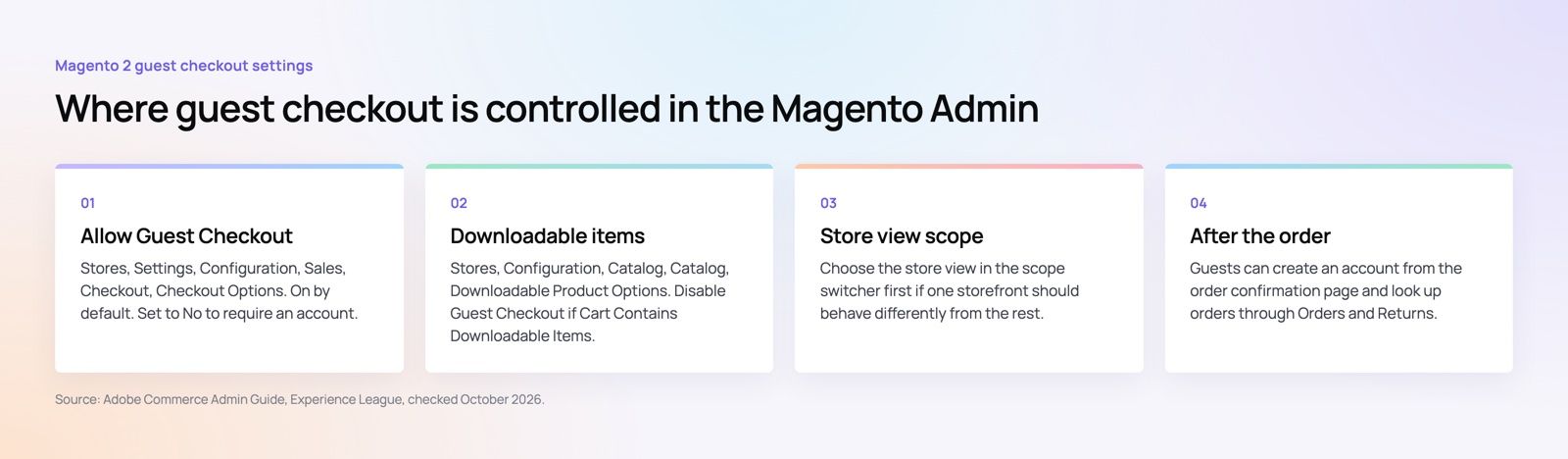
Forcing account creation before payment is one of the most common checkout blockers. Most platforms let you switch it off. WooCommerce has a guest checkout setting that lets customers check out without creating an account, and Magento has a comparable switch in its admin, shown below. Check your own platform's checkout settings for the equivalent option. You can still invite shoppers to create an account on the confirmation page, when the purchase is done.
9. Cut fields to the minimum
Ask only for what you need to deliver and invoice. Combine first and last name where your systems allow it, use one address line plus an area or building field, and make the second address line optional. UAE addresses often rely on building names, areas and landmarks rather than street numbers, so design the address form around that and consider a map pin or location option for delivery drivers.
10. Show every cost before the payment step
Unexpected delivery charges, cash on delivery fees or duties revealed at the last step cause abandonment. Show delivery cost on the product page or in the cart, and make sure prices are shown in a way that is consistent with UAE VAT rules for consumer pricing. If you are unsure how VAT should appear on your storefront, confirm with your accountant or the Federal Tax Authority guidance.
11. Design mobile checkout for thumbs
Mobile checkout needs large tap targets, the right keyboard for each field (numeric for phone numbers, email keyboard for email), autofill support and clear error messages next to the field that failed. Phone number fields should accept local formats and the country code without rejecting valid numbers.
12. Offer the payment methods your customers use
Wallets such as Apple Pay, which Apple lists as supported in the UAE, let shoppers pay without typing card details, which is a major relief on a phone. Many UAE shoppers also expect cash on delivery or buy now pay later options. Offer the methods your audience uses, and show them as logos early so nobody reaches the payment step wondering. Our guide to choosing a payment gateway by business model covers this choice in depth.
How to test checkout changes: watch the step by step drop in your funnel for two to four weeks before and after each change, and change one thing at a time so you know what made the difference. Session recordings of failed checkouts often reveal field errors you would never spot otherwise.
A quick audit checklist
- Search returns useful results for your top fifty queries.
- Filters match how customers choose and work well on mobile.
- Product cards show price, options and stock status.
- Product pages show delivery and returns information near the button.
- Reviews and payment logos sit close to the decision point.
- Guest checkout is enabled.
- The address form suits UAE address formats.
- All costs appear before payment.
- Wallet payments and expected local methods are available.
- Error messages are clear and appear beside the field.
If you are still choosing a platform, read our comparison of ecommerce platforms for UAE merchants, since some checkout limits are set by the platform rather than your theme. For a wider view, see what the best UAE online stores do and our guide to planning a first online store. Personalised recommendations are another discovery tool covered in generative AI uses for online retail.
Get help fixing product and checkout friction
Codeeo designs and builds ecommerce stores on Shopify, WooCommerce and headless setups, and its UI/UX design team works on exactly these discovery and checkout problems. With 200+ projects delivered across the UAE and the US and an office in Dubai, the team can review your funnel, prioritise the fixes and build them on your existing platform through its Shopify or WooCommerce developers. If you want a structured starting point, a website audit highlights the issues worth fixing first. Contact Codeeo to talk through your store.
Frequently asked questions
Test one change per page type at a time, so that any shift in conversion can be linked to a specific cause.
You can run a search fix and a checkout fix in parallel because they affect different stages, but avoid changing the product page layout and its pricing display together. Smaller stores with fewer orders should run tests for longer before drawing conclusions.
E-CommerceGenerative AI in Online Retail: Uses That Pay BackGenerative AI ecommerce uses ranked by payback and risk: product descriptions, AI search and support assistants, plus Arabic quality checks for UAE stores. E-CommerceConnecting WooCommerce to ERP, CRM and Shipping Without DuplicatesPlan a WooCommerce ERP integration that avoids duplicates: data ownership rules, idempotent order sync, CRM matching and UAE shipping, with Odoo and Dynamics.
 E-CommerceEnterprise Ecommerce Platform Selection: Requirements Before DemosChoose an enterprise ecommerce platform by setting integration, multi entity, data residency and order management requirements before any vendor demo starts.
Tell us what the business needs. We will tell you what to build first.
Schedule a free consultation and get a written recommendation, with costs, before you commit to anything.
Get in touchPROVEN RESULTS
4.7 / 5verified reviews on Google