 SEORecovering Traffic After a Failed Website MigrationSEO recovery after migration in the right order: diagnose the traffic drop, fix redirects, rebuild internal links, request reindexing, then report progress.
Shopify Plus SEO for Large Catalogues
Shopify Plus SEO for large catalogues: fix duplicate product URLs, build collections that rank, control faceted navigation and keep product schema accurate.
Shopify Plus SEO for a large catalogue is mostly about URL control: making sure each product, collection and filter state resolves to one clear page that search engines can crawl and trust. Shopify handles a lot automatically, including canonical tags, a sitemap and a default robots.txt, but themes, apps and merchandising choices can still create thousands of duplicate or thin URLs. This guide explains where those duplicates come from and how to manage them.
Most of what follows applies to any Shopify plan. It matters most on Plus because that is where catalogues with thousands of products, many collections and several markets tend to live.
Where Shopify duplicate URLs come from
Shopify duplicate URLs are rarely caused by one mistake; they come from the way the platform structures addresses. Shopify uses fixed path prefixes such as /products/ and /collections/, and only the handle after them can be edited. Within that structure, the same product or listing can still be reached at several addresses.
| Source | Example pattern | Why it matters |
|---|---|---|
| Collection aware product links | /collections/abayas/products/black-linen-abaya | Same product page under every collection it belongs to |
| Variant parameters | /products/black-linen-abaya?variant=123 | One URL per colour or size if linked internally |
| Tag filtered collections | /collections/abayas/linen | A listing per tag, often thin |
| Storefront filters | ?filter.v.option.color=black | Combinations multiply with every filter |
| Sort orders | ?sort_by=price-ascending | Same products in a different order |
| Pagination | ?page=4 | Needed, but deep pages add crawl load |
Collection aware product URLs
Many themes link from collection pages to products using the Liquid within filter, which produces a product URL inside the collection path. Shopify's own documentation for the within filter points out that the standard product page and the collection version show the same content at separate URLs and asks developers to consider the SEO implications.
Shopify themes normally output a canonical tag pointing at the main /products/ URL, which helps search engines consolidate the versions. The stronger fix is to stop creating the duplicates in the first place: edit the collection and product card templates so internal links go straight to /products/handle. Internal links, canonicals and the sitemap then all agree.
Variant URLs
Variant parameters are useful for sharing a specific size or colour, but they should not become separate indexable pages unless a variant is genuinely searched on its own. Check that variant URLs declare the main product URL as canonical and that navigation and collection grids link to the base product.
Shopify SEO collections: build them as landing pages
On a large catalogue, collections do the heavy lifting for category searches such as "linen abayas" or "office chairs Dubai". Treat the important ones as landing pages, not as automatic lists.
- Decide which collections should rank. Map each to a clear search need and avoid two collections targeting the same thing.
- Add useful copy. A short introduction above the grid and buying guidance or FAQs below it give the page something products alone cannot.
- Write unique titles and descriptions for the top collections rather than relying on theme defaults.
- Control automated collections. Rules based on tags or vendors can quietly create many overlapping collections. Review them, and keep internal or seasonal ones out of navigation and search when they are not meant to rank.
- Keep handles stable. Changing a handle changes the URL; when it is unavoidable, create a redirect from the old address.
Hypothetical example: a UAE homeware retailer has a "Sofas" collection plus automated collections for "Grey sofas", "Sofas under a budget" and "New sofas", all showing much the same products with no copy. Search Console shows Google choosing different ones on different days. The team keeps "Sofas" and "Grey sofas" as written landing pages, drops the others from navigation and links the two from each other.
Faceted navigation and storefront filters
Faceted navigation is where large catalogues lose the most crawl capacity. Shopify's storefront filters, configured through the Search and Discovery app, add parameters such as filter.v.option.color or filter.v.price.gte to collection URLs. Each new filter and value multiplies the number of possible pages.
Shopify's help article on editing robots.txt explains that the default file blocks tag filtered collection URLs and sorted collection URLs, because they duplicate the main collection. Check your own store's robots.txt to see exactly how parameter based filters are treated, as default rules can change over time.
A filter policy for big catalogues
- List every filter in use and estimate how many combinations it creates across your collections.
- Identify the few filter states with real search demand, such as a material, a brand or a size range that people search for directly.
- Turn those into proper collections with clean handles, written copy and links from navigation.
- Keep all other filter and sort states out of crawling, using the theme and robots.txt rules.
- Make sure filter links do not appear in a form crawlers will treat as primary navigation.
Customising robots.txt safely
Stores can override the default by adding a robots.txt.liquid template to the theme. Shopify describes this as an unsupported customisation and warns that incorrect use can result in loss of all traffic. Keep a copy of the current file, add rules through the Liquid objects Shopify provides rather than plain text, test on a development theme and confirm the rendered output before publishing.
Product schema on Shopify
Shopify themes include product structured data, which can make product pages eligible for rich results. On a large catalogue, the issues are usually accuracy and duplication rather than absence.
- One source of product schema. Review apps, SEO apps and the theme can each output their own Product markup. Pick one and switch the others off.
- Accurate offers. Price, currency and availability must match what the shopper sees, including for each market.
- Variants described properly. Google's product structured data documentation explains how variant markup helps it understand which products belong to the same parent, and separates product snippets from merchant listings for pages where people can buy.
- Identifiers and brand. Fill in GTIN, SKU and brand fields consistently so the data feeding schema and shopping feeds is complete.
- Reviews marked up only where the reviews are visible on the page.
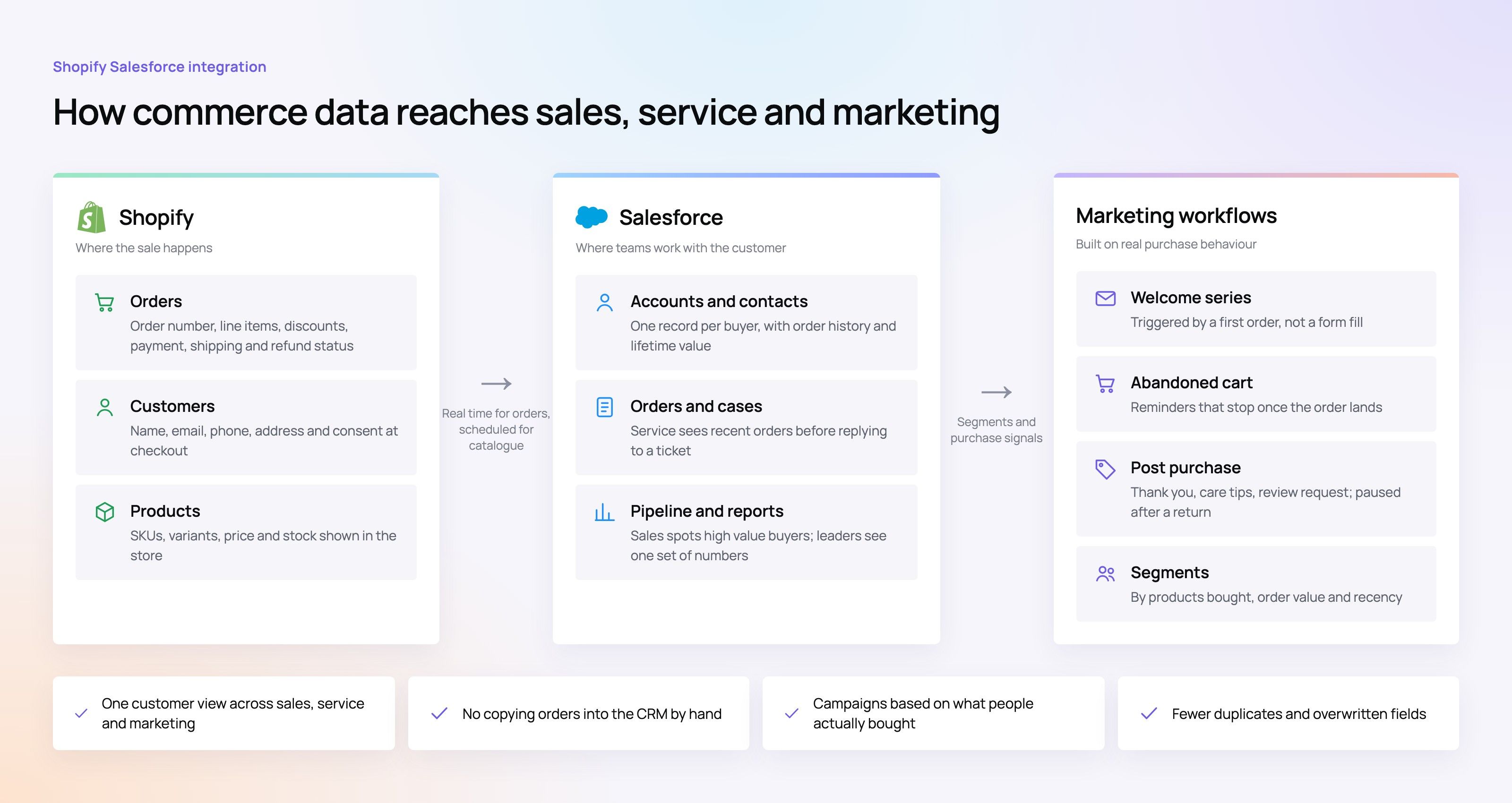
Product data quality often depends on systems outside Shopify, such as an ERP, a PIM or a CRM. When identifiers or availability are wrong upstream, the schema is wrong too.
Sitemaps, markets and crawl monitoring
Shopify generates sitemap.xml automatically, with child sitemaps for products, collections, pages and blogs. The work on a large store is making sure what appears there deserves to be indexed: archive old test products, unpublish discontinued items that should not rank and redirect retired product URLs to the closest live alternative.
Stores selling in several markets, for example the UAE and Saudi Arabia in English and Arabic, should check that each version has its own self referencing canonical, that language alternates are correct and that domains not used for a market redirect to the primary domain.
What to watch each month
- Search Console page indexing report, filtered to /collections/ and /products/.
- Crawl stats, to see whether Googlebot is spending time on parameter URLs.
- Duplicate pages where Google chose a different canonical than yours.
- Rich result reports for product markup errors after theme or app changes.
Keeping Shopify Plus SEO stable as the team grows
Large stores change daily. Merchandisers create collections, marketers install apps and developers ship theme updates, often in the same week. Without shared rules, the clean up described above slowly undoes itself.
- A collection brief. Before a new collection goes live, record its search purpose, its handle and whether it should be indexable.
- An app review step. Any new app is checked for the URLs, scripts and markup it adds, on a development theme first.
- A theme release checklist. Product links, canonicals, robots.txt output and product schema are tested on every release.
- A redirect owner. One person or team approves redirects for deleted products and renamed handles.
- A shared dashboard. Indexing, crawl and rich result reports are reviewed by ecommerce and SEO leads together.
These rules cost little to run and prevent most of the regressions that appear after busy trading periods such as Ramadan, White Friday or end of year sales, when teams move fastest.
Plan your catalogue SEO with Codeeo
Codeeo builds and develops Shopify stores, including headless builds, and provides SEO services for ecommerce teams. The team of 80+ across Dubai, Riyadh and Karachi has delivered 200+ projects across the UAE and the US, and UAE clients can meet the team at the Dubai office.
Explore Shopify development and retail and ecommerce work, or begin with a technical SEO review of your store. For related reading, see SEO for large WordPress sites, Sitecore SEO issues to raise with your team and choosing an in house SEO team or an agency in Dubai. To discuss your catalogue, contact Codeeo.
Frequently asked questions
The storefront rules are largely the same: the same URL structure, sitemap generation, canonical handling and robots.txt options.
The difference is scale and complexity. Plus stores tend to have bigger catalogues, more markets, more apps and more people editing, so the duplicate URL and filter problems described here become larger and need more formal rules. Confirm plan specific features with Shopify directly before relying on them.
SEORecovering Traffic After a Failed Website MigrationSEO recovery after migration in the right order: diagnose the traffic drop, fix redirects, rebuild internal links, request reindexing, then report progress. SEOPlanning an Enterprise Rebuild That Keeps SEO, UX and GovernancePlan an enterprise website rebuild that protects rankings, user tasks and content governance, with one shared inventory, phase gates and agreed launch criteria.
 SEOProtecting Lead Flow During a Redesign, Not Only RankingsAvoid a website redesign conversion drop: map lead paths, rebuild form tracking, protect ad landing pages and test CRM integration before and after launch day.
Tell us what the business needs. We will tell you what to build first.
Schedule a free consultation and get a written recommendation, with costs, before you commit to anything.
Get in touchPROVEN RESULTS
4.7 / 5verified reviews on Google