 Web DevelopmentWordPress VIP or Self Hosted Enterprise WordPress in the UAEWordPress VIP or self hosted enterprise WordPress in the UAE: compare data residency, hosting SLA, cost drivers and code review rules, plus key setup notes.
Custom WordPress Builds in Dubai: What a Good One Includes
WordPress website design in Dubai: what a quality custom build includes, from Gutenberg blocks and editor guardrails to performance, security and handover.
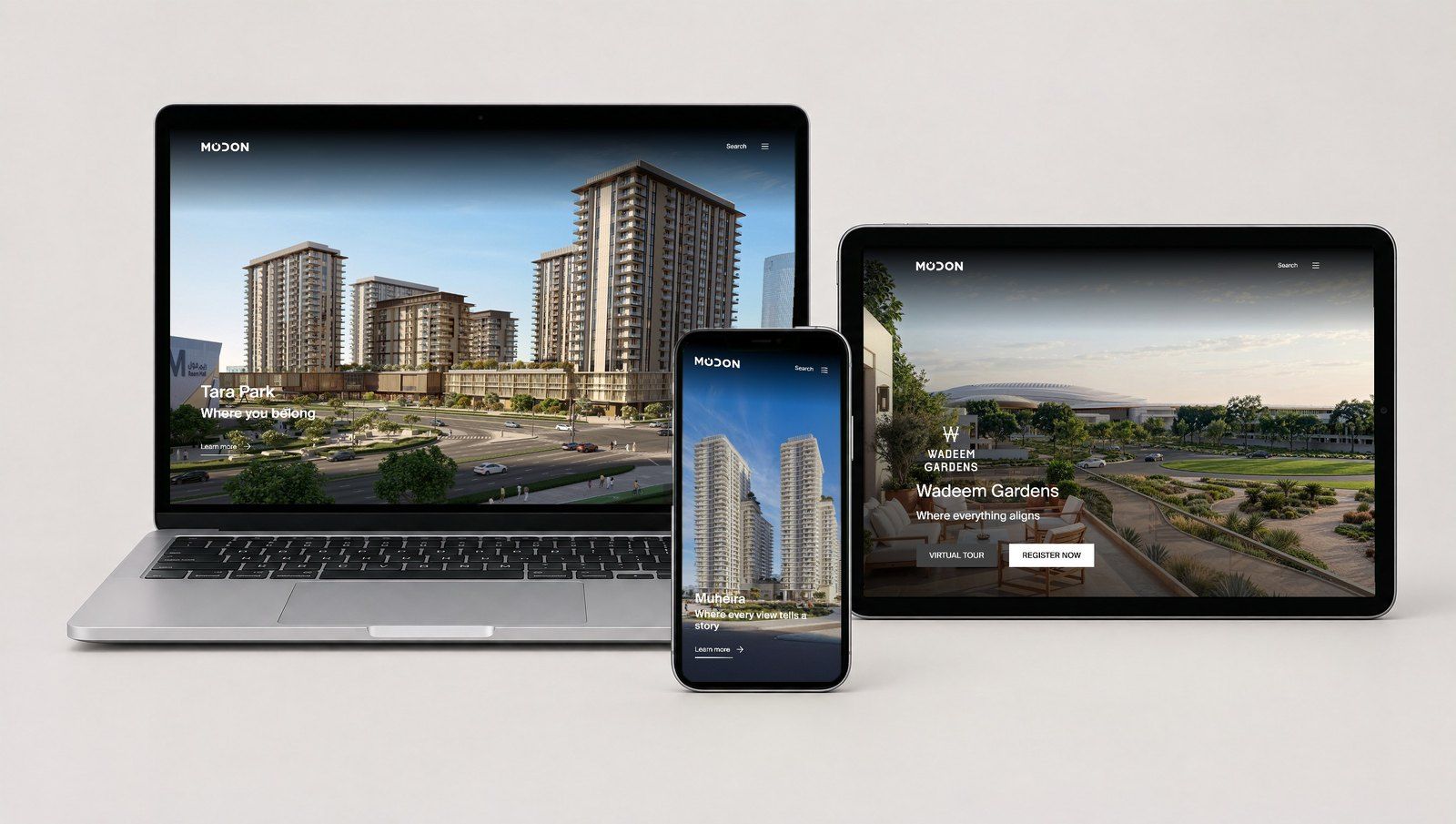
Good WordPress website design in Dubai is not judged by the homepage mockup. It is judged by what happens six months after launch: whether your team can publish a new landing page without breaking the layout, whether the site still loads quickly on a phone, and whether updates are routine rather than risky. A quality custom build gives you purpose built blocks, sensible editor guardrails, and a performance and security baseline that is written down and tested.
What "custom" should mean in a WordPress build
Almost every agency describes its work as custom. In practice, proposals fall into three broad groups, and they produce very different sites.
| Approach | What you get | Typical risk |
|---|---|---|
| Purchased multipurpose theme, restyled | A theme bought from a marketplace with colours, fonts and images changed | Heavy code you do not use, bundled plugins, and a layout system that editors can easily break |
| Page builder on a starter theme | Pages assembled visually in a builder plugin | Fast to start, but layouts drift over time and the site depends on one plugin for every page |
| Custom WordPress theme with custom blocks | A theme written for your brand, with blocks designed around your real content | Needs a capable developer and clear documentation; weaker if the agency skips the handover |
None of these is automatically wrong. A short campaign microsite may not need a custom theme. For a company website that will carry the brand for several years, though, a custom WordPress theme built around Gutenberg blocks usually gives the best balance of control, speed and maintainability. If you are still deciding whether WordPress is the right platform at all, read when WordPress is the wrong choice before comparing vendors.
The content model comes before the design
A good build starts by listing what your site actually contains: services, team members, case studies, locations, events, job openings, downloads. Each of these becomes either a page built from blocks or a structured content type with its own fields.
Questions a serious vendor will ask
- Which content is repeated in many places, such as office addresses or service summaries, and should be edited once?
- Which pages need English and Arabic versions, and who translates them?
- Which content needs approval before it goes live?
If a proposal moves straight to visual design without these questions, expect editors to copy and paste the same information into many pages, and expect inconsistencies within months.
Custom Gutenberg blocks built around your content
The block editor (often still called Gutenberg) is where your team will spend its time. A quality build replaces generic layout tools with a focused library of Gutenberg blocks that match your design system.
What a good block library looks like
- Purpose named blocks. "Service highlight", "Client quote", "Office location" and "Call to action band" are easier to use correctly than a generic "Columns with image".
- Sensible defaults. Each block arrives with placeholder text, correct spacing and the right heading level, so a new page looks finished without manual adjustments.
- Block patterns for common pages. Ready made arrangements for a service page, a news post or a landing page give editors a strong starting point.
- Responsive behaviour designed in. Every block is checked at phone, tablet and desktop widths, not only the homepage.
- Right to left support where needed. If the site has an Arabic version, blocks are tested in right to left layout from the start rather than patched later.
Hypothetical example: a Dubai professional services firm has twelve service pages. Instead of designing each page individually, the build provides a service page pattern made of five blocks: introduction, key benefits, process steps, related case studies and a contact band. The marketing team can add a thirteenth service in an afternoon, and it matches the others without developer help.
Editor guardrails that protect the design
The fastest way to lose a good design is to give every editor unlimited control over colours, fonts and spacing. A good build sets limits that keep pages on brand while still letting the team work quickly.
Guardrails worth asking for
- A restricted colour palette and type scale defined in the theme's global settings file (theme.json), so editors pick from brand values instead of typing any colour they like. The WordPress theme handbook on global settings and styles explains how this file configures colours and typography.
- Locked templates where structure matters. WordPress supports template locking options such as "all", "insert" and "contentOnly", and a lock setting on individual blocks that can prevent moving or removing them. These are documented in the block templates reference. Used well, a legal disclaimer or a page header cannot be deleted by accident.
- A trimmed block inserter. Core blocks your design does not use are hidden, so editors are not tempted by options that do not fit.
- Roles that match responsibilities. Contributors draft, editors publish, and only a small number of people hold administrator access.
Guardrails should not become a cage
Locking everything creates the opposite problem: the marketing team has to raise a developer ticket to change a heading. The right balance is agreed during the build, page type by page type, and written into the handover documentation.
The performance baseline for WordPress website design in Dubai
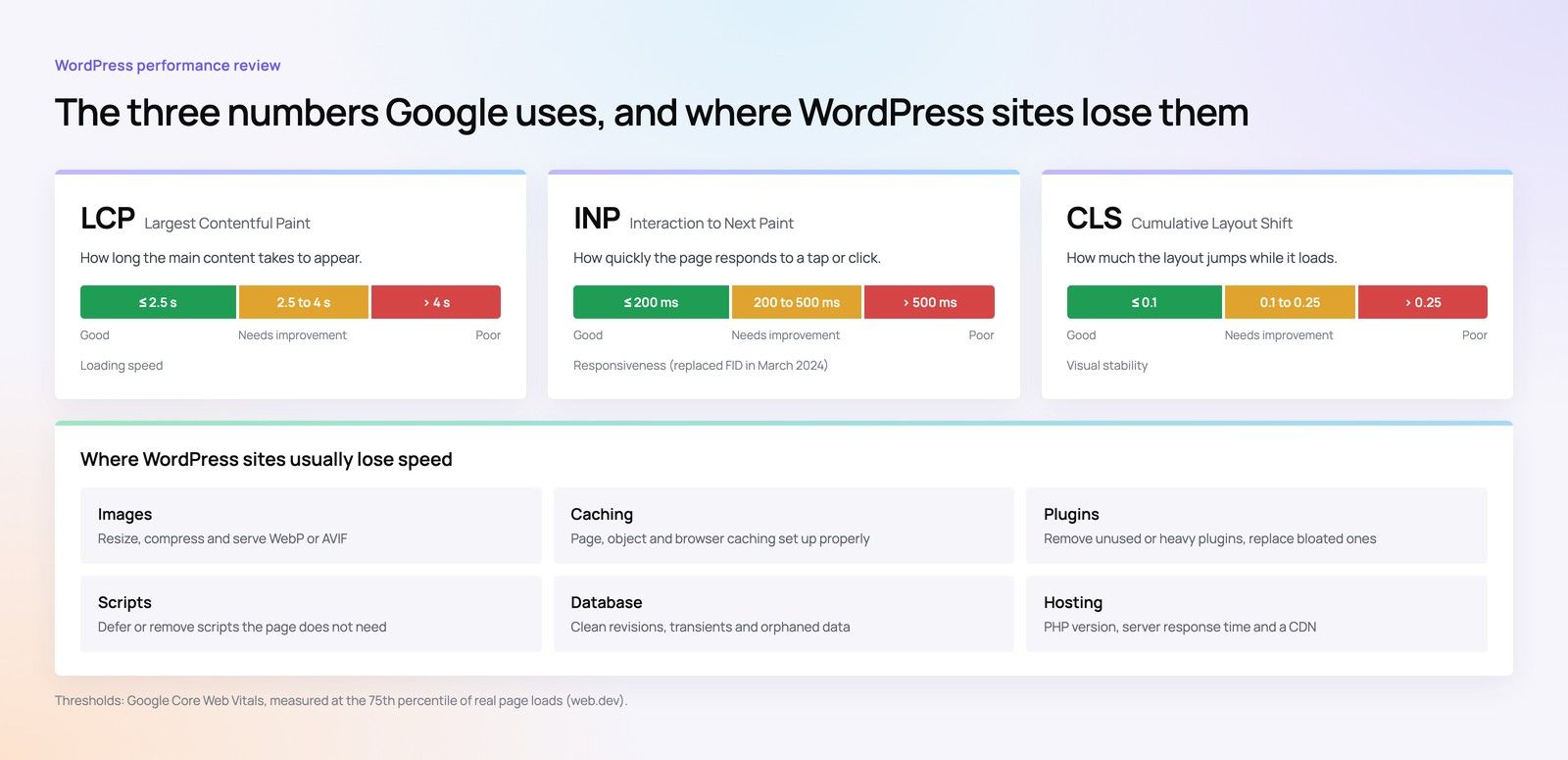
Many UAE visitors arrive on a phone, often from search or a social ad. A slow first impression costs enquiries regardless of how good the design looks. A quality build agrees performance targets before development and tests against them before launch.
What the baseline should cover
- Core Web Vitals targets. Google's guidance treats an LCP of 2.5 seconds or less, an INP of 200 milliseconds or less and a CLS of 0.1 or less as good, measured at the 75th percentile of page loads, according to web.dev. Agree which templates will be tested and on which devices.
- A lean theme. Styles and scripts load only on the pages that need them, rather than every block's code on every page.
- Image handling. Correctly sized images in modern formats, with the main image above the fold loaded early and images further down loaded lazily.
- Fonts under control. A small number of font files, self hosted where possible, with a fallback that avoids layout shifts.
- Caching and hosting fit. Page caching, an object cache where the site is dynamic, and hosting sized for the expected traffic.
- A short plugin list. Every plugin is justified. A build that ships with dozens of plugins is a maintenance burden from day one.
For a deeper look at the metrics, see our Core Web Vitals service, which covers measurement and fixes on existing sites.
The security baseline
WordPress is secure enough for serious organisations when it is built and run properly. Most problems come from outdated plugins, weak accounts and careless file permissions rather than from WordPress core itself.
Minimum security items in the handover
- Core, theme and plugins on current versions at launch, with a written update routine.
- Unused plugins and themes removed, not just deactivated.
- Two factor authentication for every account that can publish or change settings.
- File editing from the dashboard disabled, as recommended in the WordPress hardening guide.
- No obvious administrator usernames, and a documented list of who holds which role.
- Automated backups stored off the server, with at least one tested restore before launch.
- Forms protected against spam and personal data handled in line with UAE data protection requirements; confirm the obligations that apply to your business with legal counsel.
Our security checklist for WordPress, Django and Strapi sites goes further on hosting, access and monitoring.
Ownership, handover and documentation
A good build leaves you in control. Before signing, confirm in writing that you will own the domain, the hosting account (or have administrator access to it), the theme code and the content. Ask for the theme to be stored in a code repository you can access.
What the handover pack should include
- An editor guide showing each block and pattern, with examples of correct use.
- A list of every plugin, why it is there and who is responsible for updating it.
- Access details transferred to accounts your company controls.
- The agreed performance and accessibility test results at launch.
Ownership is one of the clearest differences between WordPress and hosted builders. Our comparison of WordPress, Webflow, Wix and Shopify ownership explains what you keep and what you rent on each platform, and AI builders versus WordPress for a production site covers the newer tools.
How to compare WordPress design agency proposals
When you receive proposals from several vendors, put them side by side against the same questions. A capable WordPress developer in Dubai or anywhere else should answer each one clearly.
| Question | A strong answer | A warning sign |
|---|---|---|
| Is the theme custom or purchased? | Custom theme with a named block library | "We customise a premium theme" without details |
| How will editors build new pages? | Patterns and blocks demonstrated in a staging site | "You can drag and drop anything" |
| What performance targets apply? | Specific metrics, templates and devices agreed in writing | "The site will be fast" |
| Which plugins will be installed? | A short list with a reason for each | No list, or a long list of overlapping tools |
| Who owns the code and accounts? | You do, with repository and hosting access | Hosting or licences held only by the agency |
| What happens after launch? | A defined update and support routine | Support only "when needed" |
Plan your WordPress build with Codeeo
Codeeo designs and develops WordPress sites with custom themes, purpose built blocks and documented performance and security baselines. Our team of 80+ across Dubai, Riyadh and Karachi has delivered 200+ projects across the UAE and the US, and UAE clients can meet the team in person at our Dubai office. See our WordPress development service and UI/UX design work, or start with a website audit if you already have a site. When you are ready to talk through your requirements, contact our team.
Frequently asked questions
It can be, when speed of launch matters more than long term control, for example a short campaign site that will be retired within a year.
For a main company website, a page builder tends to add weight to every page and makes the site dependent on one plugin.
Web DevelopmentWordPress VIP or Self Hosted Enterprise WordPress in the UAEWordPress VIP or self hosted enterprise WordPress in the UAE: compare data residency, hosting SLA, cost drivers and code review rules, plus key setup notes. Web DevelopmentWhat a WordPress Maintenance SLA Should CoverWhat WordPress maintenance services should cover in writing: core and plugin updates, security, backups, multilingual publishing support and response times.
 Web DevelopmentWordPress Release Management: Staging, QA and RollbackA WordPress deployment workflow that releases safely: Git based builds, a staging site that mirrors live, smoke tests to run and a rollback plan written first.
Tell us what the business needs. We will tell you what to build first.
Schedule a free consultation and get a written recommendation, with costs, before you commit to anything.
Get in touchPROVEN RESULTS
4.7 / 5verified reviews on Google