 Web DevelopmentWordPress VIP or Self Hosted Enterprise WordPress in the UAEWordPress VIP or self hosted enterprise WordPress in the UAE: compare data residency, hosting SLA, cost drivers and code review rules, plus key setup notes.
Web Design Trends Worth Adopting in the UAE This Year
Web design trends UAE teams should adopt, test or skip, judged on page speed, accessibility and Arabic support rather than how good they look in a screenshot.
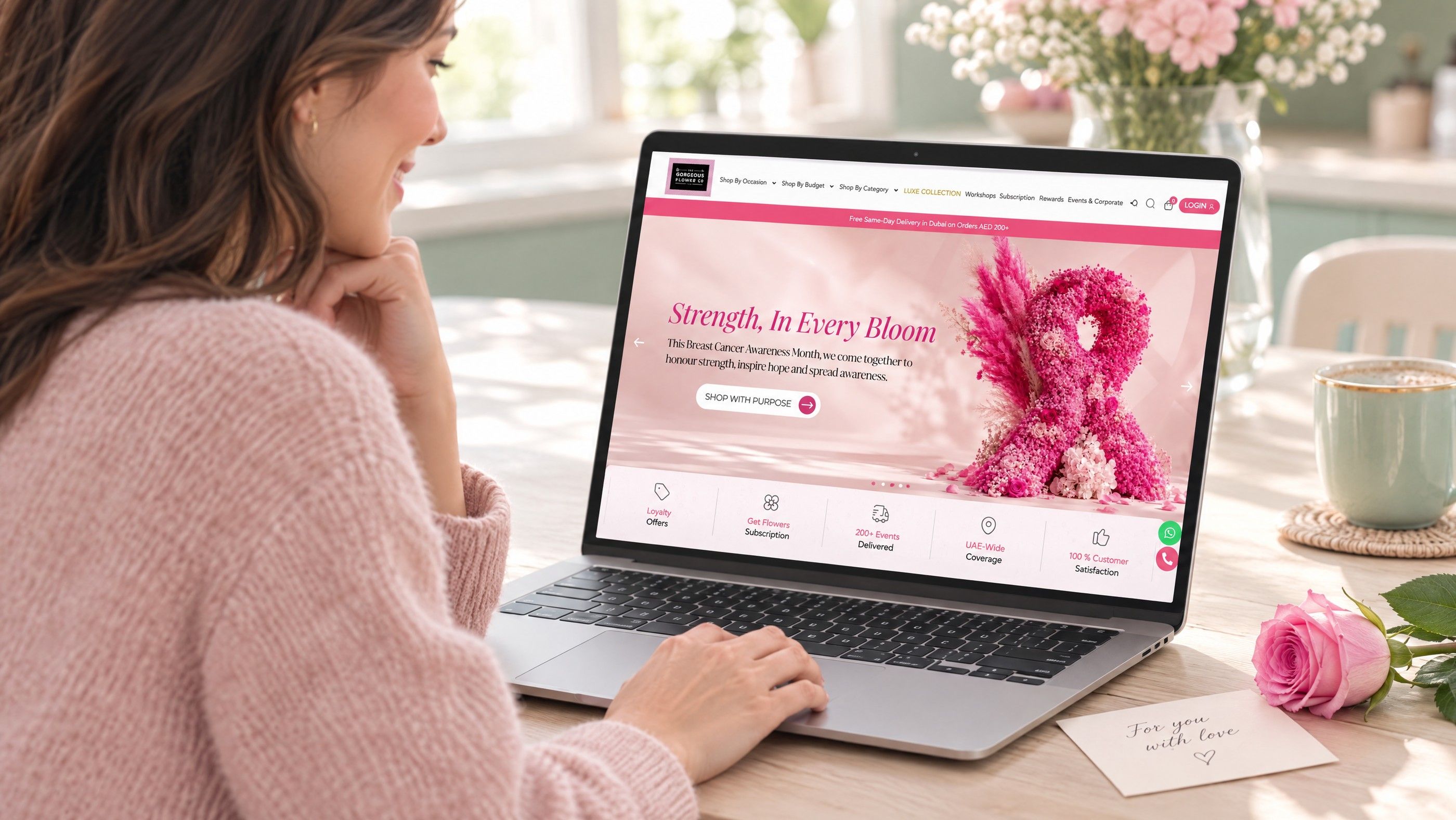
The web design trends UAE businesses should adopt are the ones that improve speed, accessibility and Arabic support at the same time as they look current. Some popular trends pass that test easily, some deserve a careful trial, and some cost more in load time or usability than they return. This guide sorts them into adopt, test and skip so you can plan a refresh with clear priorities.
How we judged each trend
Showcase lists of web design trends for 2026 tend to reward what looks impressive in a screenshot. A business site has to do more: load quickly on a phone over mobile data, work for people with different abilities, and render correctly in both English and Arabic. Each trend below was weighed against three questions.
| Test | What it asks | Why it matters |
|---|---|---|
| Speed cost | Does it add heavy scripts, large media or layout shifts? | Google's Core Web Vitals measure loading (LCP), responsiveness (INP) and visual stability (CLS), and slow pages lose visitors. |
| Accessibility | Can people using keyboards, screen readers, zoom or reduced motion still use it? | The WCAG 2.2 guidelines set the widely used benchmark. |
| Arabic support | Does it work right to left, with Arabic type, without a separate build? | Many UAE sites serve bilingual audiences, and a trend that breaks in RTL doubles the work. |
Web design trends UAE teams should adopt now
These trends are low risk, improve usability and are straightforward to build into a redesign or template update.
1. Bilingual layouts built on logical CSS
Instead of building an English layout and then patching an Arabic copy, modern front end work uses CSS logical properties, which describe spacing and alignment by reading direction rather than fixed left and right. MDN's documentation on logical properties explains how layouts adapt automatically to right to left text. The result is one set of components that mirrors correctly, fewer bugs and faster updates in both languages.
Pair this with an Arabic typeface chosen deliberately rather than left to the browser's fallback. Check that headings, numbers, form fields and icons with direction (arrows, progress bars) all flip as they should.
2. Expressive typography with fewer images
Large, confident type is replacing generic stock photography in hero sections. Text renders quickly, scales cleanly on every screen and can be translated, unlike words baked into images. Variable fonts let one file cover several weights, which helps keep font loading lean. Make sure your Arabic face has matching weights so the bilingual versions feel equally considered.
3. Accessible contrast and larger touch targets
Soft greys on white and tiny links look elegant in design files and fail in sunlight on a phone. WCAG 2.2 sets minimum contrast for text and a minimum target size for controls. Treating these as design rules from the start, rather than fixes after launch, produces interfaces that are easier for everyone, especially on mobile.
4. Dark mode that follows the device
Dark mode is now expected in many apps, and websites can respect the visitor's system setting through the "prefers-color-scheme" media query. Done well, it means defining colours as tokens and testing both themes, including logos, charts and form states. Done badly, it produces unreadable text or invisible borders. Adopt it if you can test properly; otherwise, a single well contrasted theme is better than a broken second one.
5. Purposeful micro interactions
Small feedback cues, such as a button that confirms it was pressed, a field that shows validation as you type, or a smooth expand on an FAQ, make a site feel responsive. Keep them short, build them with CSS where possible, and avoid tying them to heavy animation libraries.
Trends worth testing before you commit
These can work well, but their value depends on your audience, content and budget. Trial them on one section or one page, measure, then decide.
6. Motion design and scroll effects
Motion design can guide attention and explain a process better than static images. It can also slow pages, distract readers and cause discomfort for people sensitive to movement. Two safeguards make it workable:
- Respect the "prefers-reduced-motion" setting, which MDN describes as a way to detect when a visitor has asked their device for less motion, and offer a calm alternative.
- Give users a way to pause anything that moves for more than a few seconds, in line with the WCAG "Pause, Stop, Hide" criterion.
Test on mid range Android phones, not only on the latest iPhone, and watch INP and CLS after launch.
7. AI personalisation and on site assistants
AI personalisation can change headlines, product recommendations or content blocks based on behaviour, location or referral source. AI assistants can answer product and service questions in English and Arabic. Both can help, and both carry risk:
- Personalisation uses personal data. Under the UAE Personal Data Protection Law (Federal Decree-Law No. 45 of 2021), or DIFC and ADGM rules where they apply, check your lawful basis, consent and disclosures with counsel.
- Assistants must be grounded in your own approved content, with clear handover to a person, or they may give wrong answers in your brand's name.
- Third party scripts add weight. Load them after the main content and measure their effect on speed.
Start with one contained use, such as an assistant on the support or FAQ section, before personalising core sales pages.
8. Bento grids and modular layouts
Card based "bento" layouts present several features or services in a compact, scannable block. They suit product overviews and dashboards. They need care on mobile, where a neat grid can turn into a long stack of similar boxes, and in Arabic, where the reading order must mirror. Test whether visitors actually read the cards or skip past them.
9. 3D and interactive product views
For ecommerce, real estate and products where shape or space matters, interactive 3D can reduce uncertainty. It is also heavy. Load it only when a visitor chooses to open it, provide a static image first, and confirm that it does not block the rest of the page.
UI trends to skip or use sparingly
| Trend | The problem | Better alternative |
|---|---|---|
| Autoplaying video heroes | Large files delay the main content and drain mobile data | A strong still image or short muted loop with a poster frame |
| Scroll hijacking | Overrides normal scrolling, confuses users and breaks keyboard navigation | Native scrolling with light reveal effects |
| Low contrast glass effects | Text over blurred backgrounds often fails contrast checks | Solid panels with enough contrast |
| Custom cursors | No value on touch screens and can hide the pointer for some users | Clear hover states on links and buttons |
| Text inside images | Cannot be translated, searched or read by screen readers | Live text over images, set in CSS |
| Heavy preloaders | A loading animation is a sign the page is too slow | Optimise the page so it loads without one |
Putting it into a refresh plan
A practical way to use this list is to score your current site against each trend before deciding what to change.
- Audit the basics first. Measure Core Web Vitals, run an accessibility check and review the Arabic version on real devices. Fixing these often matters more than any visual trend.
- Pick two or three adopt items. Logical CSS, typography and contrast usually give the most return for a redesign.
- Choose one test item. Run it on a single page with a clear measure, such as engagement with a product section or assistant usage.
- Set a performance budget. Agree limits on page weight and script count so new features cannot slowly erode speed.
- Review in three months. Keep what worked, remove what did not.
Hypothetical example: a Dubai clinic group planning a refresh might adopt logical CSS so its Arabic pages stop breaking, replace a stock photo slider with clear typography and a booking button, and test an AI assistant only on its FAQ page. It would skip the autoplay video its old agency proposed, because its own analytics show most visitors arrive on mobile from search.
For the technology choices behind these decisions, see web development technologies that matter for UAE projects. If you are comparing design tools for the work, Figma or Sketch for UI teams covers the options. Before hiring help, review questions to ask a Dubai web design agency, and to budget the work, read design versus build costs in Dubai.
Refresh your site with trends that earn their place
Codeeo's UI/UX design team helps UAE businesses decide which trends fit their audience, then designs bilingual interfaces that stay fast and accessible. Our web development team builds them, and our Core Web Vitals service keeps speed in check after launch. If AI features are on your list, our AI integration team can scope a contained trial. With 200+ projects delivered across the UAE and the US and an office in Dubai, you can meet us in person. Start a conversation about your refresh.
Frequently asked questions
A full redesign is rarely needed on a fixed schedule.
Most sites benefit more from continuous improvement: regular content updates, accessibility fixes and small interface changes tested against real data. A larger redesign makes sense when the brand changes, the platform becomes hard to maintain, the Arabic version is unreliable, or the site no longer supports how your customers buy. Following trends alone is not a strong reason.
Web DevelopmentWordPress VIP or Self Hosted Enterprise WordPress in the UAEWordPress VIP or self hosted enterprise WordPress in the UAE: compare data residency, hosting SLA, cost drivers and code review rules, plus key setup notes. Web DevelopmentWhat a WordPress Maintenance SLA Should CoverWhat WordPress maintenance services should cover in writing: core and plugin updates, security, backups, multilingual publishing support and response times.
 Web DevelopmentWordPress Release Management: Staging, QA and RollbackA WordPress deployment workflow that releases safely: Git based builds, a staging site that mirrors live, smoke tests to run and a rollback plan written first.
Tell us what the business needs. We will tell you what to build first.
Schedule a free consultation and get a written recommendation, with costs, before you commit to anything.
Get in touchPROVEN RESULTS
4.7 / 5verified reviews on Google