 Web DevelopmentWordPress VIP or Self Hosted Enterprise WordPress in the UAEWordPress VIP or self hosted enterprise WordPress in the UAE: compare data residency, hosting SLA, cost drivers and code review rules, plus key setup notes.
Mobile First or Responsive? How to Decide for Your Next Build
Mobile first vs responsive design is a process choice, not a rivalry. Use this decision table based on device split and content density to plan your next build.

The mobile first vs responsive design debate is usually framed as a choice between two rival methods, but they answer different questions. Mobile first is a process decision about which screen you design and prioritise first; responsive design is the technique that lets one site adapt to every screen. Most good builds use both, and the real decision is how strictly to apply mobile first given who your visitors are and how much content each page carries.
What each term actually means
Confusion between the two terms leads to briefs that ask for "a mobile first responsive site" without anyone agreeing what that changes in the project. Separating them makes planning easier.
Responsive design is an output technique
MDN describes responsive web design as an approach that makes pages render well on all screen sizes while keeping good usability, built from fluid grids, flexible images and media queries. The points where the layout changes are called breakpoints. A responsive site serves the same HTML at the same address to every device, and CSS rearranges it. MDN's guide to responsive design covers the mechanics.
Mobile first is a process choice
A mobile first design approach means the team designs the smallest screen first, decides what truly matters there, and then adds layout and detail as screen space grows. In code, this usually means a simple single column base, with wider layouts layered on through media queries. In planning, it means content priority is settled on the phone, not trimmed from a desktop layout at the end.
Adaptive design is the third option
Adaptive design detects the device type and serves a layout, or sometimes a separate set of pages, built for that class of device. It can give very tailored results, but it multiplies the number of templates to build and maintain. Google lists responsive design, dynamic serving and separate URLs as configurations, and states that it recommends responsive design as the easiest to implement and maintain. See Google's mobile first indexing guidance.
| Term | What it decides | Where it shows up |
|---|---|---|
| Mobile first | Which screen sets content priority | Wireframes, content plan, CSS structure |
| Responsive | How one layout adapts to many widths | CSS, images, breakpoints |
| Adaptive | Which separate layout each device gets | Server logic, multiple templates |
Mobile first vs responsive design: the decision table
Since responsive design is the default output for nearly every business site, the practical question is how hard to lean into mobile first. Two inputs drive that: your audience device split and your content density.
Start by checking analytics for the share of sessions, and more importantly the share of enquiries or sales, that come from phones. Then look at your heaviest pages. A page with a short message and one action is light. A page with comparison tables, long specifications, filters or dashboards is dense.
| Audience device split | Content density | Recommended process |
|---|---|---|
| Mostly phone | Light (service pages, campaigns, restaurants, clinics) | Strict mobile first. Design and approve phone screens before any desktop work. |
| Mostly phone | Dense (ecommerce catalogues, property listings) | Mobile first for content priority, with early desktop sketches for filters and comparison views. |
| Mixed | Light to medium | Mobile first wireframes, then design both sizes side by side. |
| Mostly desktop | Dense (B2B portals, internal systems, data tools) | Desktop led design with responsive breakpoints, plus a deliberate phone review of key tasks. |
| Mostly desktop | Light (corporate brochure sites) | Either order works, but still settle phone content priority early. |
Why phone traffic is not the only signal
Google states that it uses the mobile version of a site for indexing and ranking, and asks site owners to make sure the mobile version contains the same content as desktop. So even a business whose buyers mostly use laptops cannot treat phones as an afterthought. A desktop led process is fine, but anything removed or collapsed on phones still needs to be present in the page.
How mobile first changes the design process
Choosing mobile first is less about CSS and more about the order of decisions.
- Content inventory first. List every element a page might carry, then rank it. Only the top few items get the first phone screen.
- Phone wireframes. Sketch each template at phone width. If a section does not earn its space there, question whether desktop needs it either.
- Expand, do not shrink. Add columns, imagery and secondary detail as width grows, instead of stacking a desktop grid into one long column.
- Design approval on a phone. Stakeholders review designs on their own phones, not as small images inside a desktop presentation.
- Build from the small screen up. Developers write the base styles for narrow screens and add wider layouts through media queries.
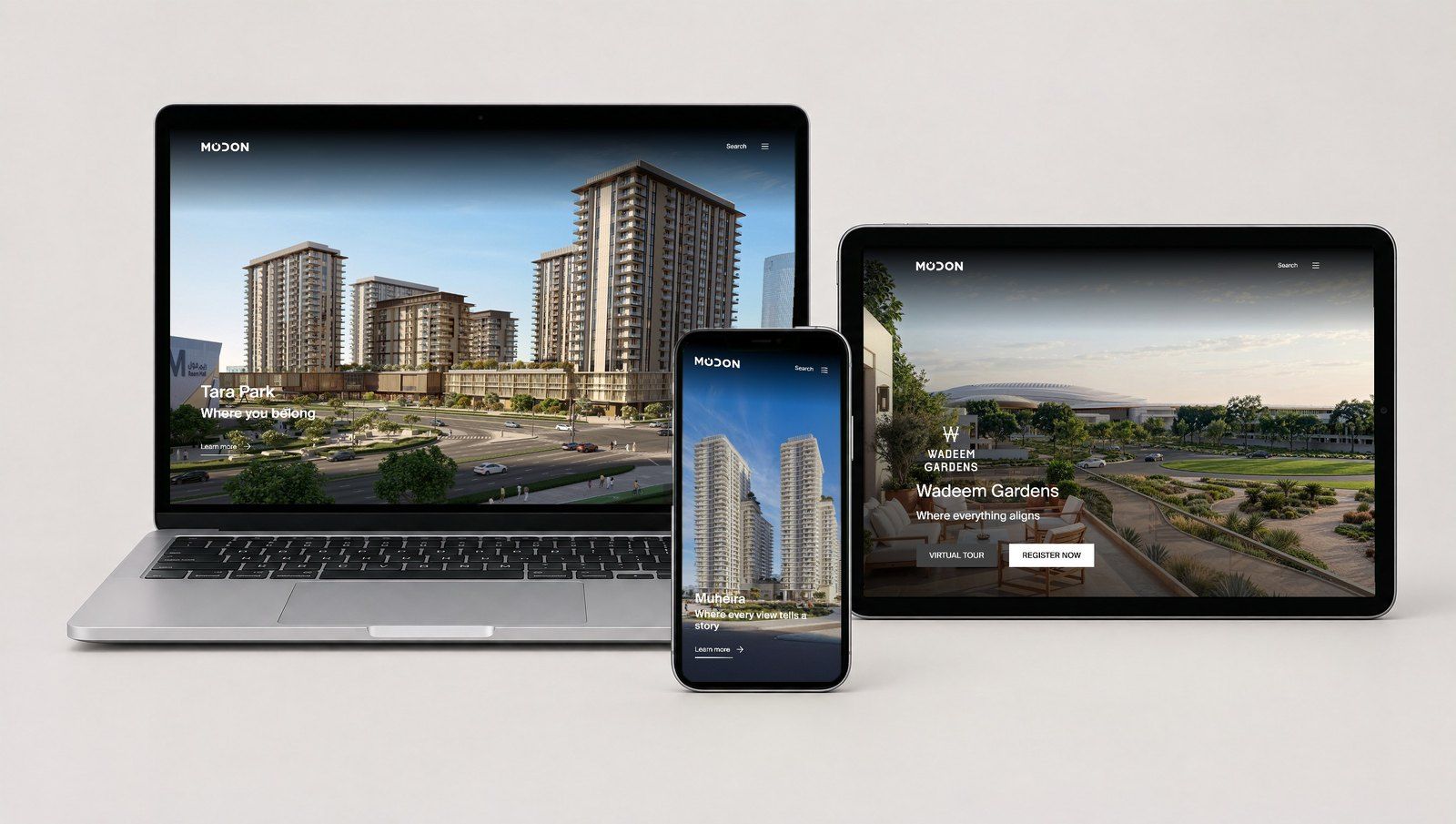
Choosing responsive breakpoints
Responsive breakpoints are where the layout changes. A common mistake is to pick them from a list of popular devices. New phones, tablets and foldables arrive constantly, so device based breakpoints date quickly.
Let content decide
MDN suggests adding a breakpoint at the point where the content starts to look wrong, and defining breakpoints in relative units rather than the size of a particular device. In practice, that means stretching a page slowly in the browser and adding a breakpoint only when lines get too long, cards get too cramped or navigation stops fitting.
Fewer, better breakpoints
- Most content sites need only a few major breakpoints, with fluid sizing between them.
- Components such as cards or tables may need their own adjustments, separate from the page grid.
- Typography and spacing can scale smoothly rather than jumping at each breakpoint.
- Arabic layouts should be checked at every breakpoint, because longer or shorter words change where content breaks.
Once breakpoints are set, they need to be tested on real hardware. The responsive design QA checklist covers a device matrix and sign off steps.
Where each approach can go wrong
Mobile first pitfalls
- Desktop layouts that look sparse because nobody designed for the extra space.
- Complex tools, such as configurators or comparison tables, squeezed into phone patterns that do not suit desktop users.
- Important detail hidden behind accordions on every screen size, not just on phones.
Desktop led responsive pitfalls
- Phones receive desktop sized images and scripts, making pages slow.
- Navigation that works with a mouse but has small, crowded tap targets.
- Content stacked in desktop order, so the phone visitor scrolls past decoration before reaching the point.
Hypothetical example: a property developer's launch site
Hypothetical example: a property developer in Dubai plans a launch site for a new tower. Most visits will come from social media ads on phones, while brokers will use desktop to compare unit types. A sensible plan is strict mobile first for the campaign landing pages, with a phone screen built around the enquiry form and WhatsApp button, and a desktop led layout for the broker area, where floor plans and availability tables need width. Both sit on one responsive codebase.
What to put in your brief
A clear brief prevents both pitfalls. Include:
- Device split for traffic and for conversions, from your analytics.
- Your three most important pages and the single action each one should drive.
- Pages with dense content that may need special handling on phones.
- Language requirements, including whether Arabic needs full right to left layouts.
- Who will approve designs, and that approval happens on real phones.
For budgeting, the guide to website design cost in Dubai explains how design and build effort differ. For what phone visitors expect once the site is live, see what UAE visitors expect on phones, and for current design patterns, read about trends worth adopting.
Plan the right build with Codeeo
Codeeo's designers and developers in Dubai plan content priority, breakpoints and templates together, so the process fits your audience rather than a fixed habit. The team covers UI/UX design, website design and development and WordPress development, and can show relevant work in its case studies. Talk to Codeeo about your next build and bring your analytics along.
Frequently asked questions
No.
Search engines see one page with the same content, because a mobile first responsive site serves identical HTML to every device. What matters for search is that the phone version carries all the content, headings and structured data. Problems arise only when teams remove content on phones rather than restyling it, which a careful build avoids.
Web DevelopmentWordPress VIP or Self Hosted Enterprise WordPress in the UAEWordPress VIP or self hosted enterprise WordPress in the UAE: compare data residency, hosting SLA, cost drivers and code review rules, plus key setup notes. Web DevelopmentWhat a WordPress Maintenance SLA Should CoverWhat WordPress maintenance services should cover in writing: core and plugin updates, security, backups, multilingual publishing support and response times.
 Web DevelopmentWordPress Release Management: Staging, QA and RollbackA WordPress deployment workflow that releases safely: Git based builds, a staging site that mirrors live, smoke tests to run and a rollback plan written first.
Tell us what the business needs. We will tell you what to build first.
Schedule a free consultation and get a written recommendation, with costs, before you commit to anything.
Get in touchPROVEN RESULTS
4.7 / 5verified reviews on Google