 Web DevelopmentWordPress VIP or Self Hosted Enterprise WordPress in the UAEWordPress VIP or self hosted enterprise WordPress in the UAE: compare data residency, hosting SLA, cost drivers and code review rules, plus key setup notes.
Refresh, Redesign or Rebuild? Matching the Fix to the Problem
Website redesign vs new website is not a two way choice. Compare a refresh, a redesign and a rebuild, and match each to the symptoms your current site shows.

The website redesign vs new website question usually has a third answer that gets overlooked: a refresh. A refresh fixes content, visuals and small usability problems on the existing build; a redesign changes structure and design on the same platform; a rebuild replaces the platform and code. The right choice depends on where the problem actually sits, not on how old the site is.
This guide defines each option, gives a symptom to remedy table you can use with your team, and explains how to scope the work so you neither overspend nor end up fixing the same problems again in a year.
Three options, three different jobs
Website refresh
A refresh keeps the platform, the templates and most of the structure. It updates what visitors see and read: new photography, rewritten copy, updated brand colours and fonts, clearer calls to action, tidier forms, and fixes to obvious usability snags. It suits sites that are technically sound but look or read as dated.
Website redesign
A redesign changes how the site is organised and how it looks, while keeping the underlying platform. Expect new information architecture, new page templates, rewritten navigation, a fresh design system and often new content. It suits sites whose platform is fine but whose structure no longer matches the business, for example after adding services, entering a new market or changing the main audience.
Website rebuild
A rebuild replaces the technology: a new CMS, a new framework, new hosting, or a move from a template builder to a custom build. Design and structure usually change too, because a rebuild is the natural moment to fix them. It suits sites where the platform itself is the problem, through unsupported software, heavy technical debt, poor performance that cannot be tuned, or missing integrations.
Website redesign vs new website: the symptom to remedy table
Start from the symptoms you can observe, then find the lightest fix that solves them. If a symptom points to a rebuild, the lighter options will not remove it, however well they are executed.
| Symptom | Likely cause | Lightest fix that works |
|---|---|---|
| The site looks dated next to competitors | Visual style, imagery, typography | Refresh |
| Copy no longer describes what you sell | Outdated content | Refresh |
| Visitors cannot find key services | Navigation and page structure | Redesign |
| New services or audiences do not fit the menu | Information architecture | Redesign |
| Arabic version is incomplete or awkward | Templates not built for right to left layouts | Redesign, or rebuild if the platform cannot support it |
| Mobile pages are slow despite image fixes | Theme, plugins or framework | Rebuild, after a performance review |
| Editors need a developer for simple changes | Fragile CMS or heavy custom code | Rebuild |
| Core software no longer receives security updates | Unsupported platform versions | Rebuild or platform upgrade |
| Forms cannot connect to the CRM or booking system | Platform limits or missing APIs | Rebuild, sometimes an integration project |
| Conversion is low but traffic is healthy | Messaging, calls to action, forms | Refresh first, then test |
Most sites show symptoms from more than one row. When they do, scope for the heaviest fix that is genuinely required, and fold the lighter work into it rather than running separate projects.
A redesign checklist before you commit
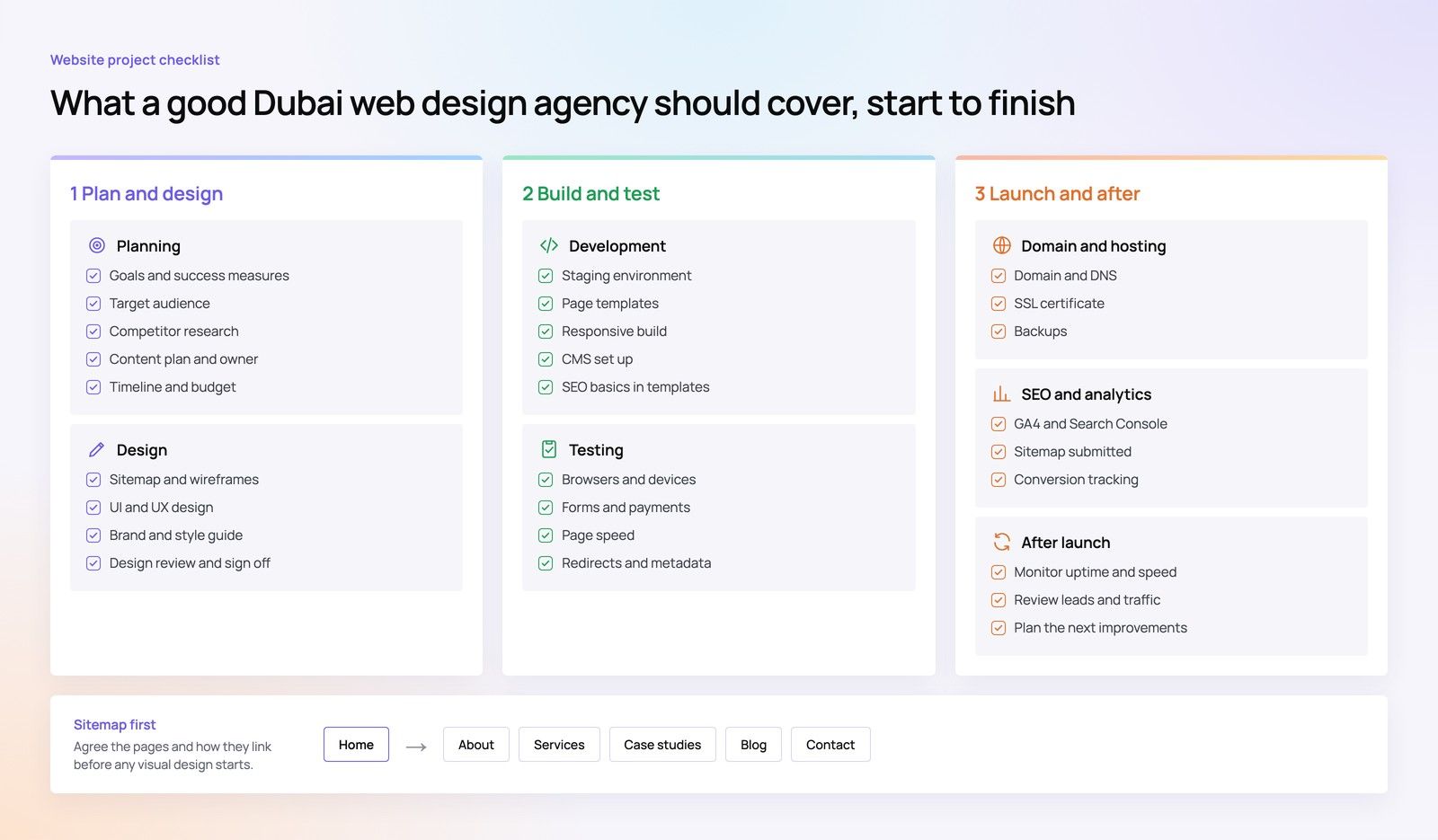
Before choosing, gather enough evidence to know which row you are really in. This short redesign checklist covers the basics.
Technical health
- Which CMS and versions are running, and are they still supported?
- How many plugins or extensions are installed, and are any abandoned?
- How do key templates score on Core Web Vitals on mobile?
- Are backups, staging and update routines in place?
Content and structure
- Which pages bring in search traffic and enquiries? These must be protected.
- Which pages are thin, duplicated or out of date?
- Does the navigation reflect how customers describe their needs?
- Are English and Arabic versions equivalent, or does one lag behind?
Business fit
- Has the offer, audience or market changed since the site launched?
- Which systems should the site connect to: CRM, ERP, booking, payments?
- Who will edit the site, and how comfortable are they with the current CMS?
If the technical answers are healthy, a refresh or redesign is usually enough. If they are not, a rebuild is likely, whatever the design needs.
Technical debt: the factor that decides most cases
Technical debt is the accumulated cost of past shortcuts: heavily modified themes, undocumented custom code, overlapping plugins and outdated libraries. It is invisible in a design review but obvious to any developer who opens the code.
A redesign on top of heavy technical debt tends to disappoint. The new design looks good at launch, but performance stays poor, updates keep breaking things and the next change is as hard as the last. Our article on the real cost of keeping an old website explains how to put those hidden costs into numbers your finance team will accept.
If the platform is sound but the CMS is the bottleneck, a different question applies. See replatforming versus redesigning when the CMS is the problem.
How each option affects SEO
All three options can protect search visibility if they are planned. The risk rises with the size of the change.
- Refresh: URLs usually stay the same. Keep headings and copy on ranking pages focused on the same topics.
- Redesign: navigation and URLs may change. Map every important old URL to a new one and set permanent redirects.
- Rebuild: treat it as a site move. Google's guidance on site moves with URL changes covers redirects, sitemaps and monitoring after launch.
Slow sites often benefit from a rebuild in search terms, because performance problems rooted in the platform disappear. Before deciding, check whether speed can be fixed in place; our guide to the order in which to fix a slow website sets out the sequence.
Scoping each option properly
Scoping a refresh
List the pages in scope, the content to rewrite, the assets to replace and the usability fixes to make. Keep the list tight. A refresh that keeps growing has usually turned into a redesign and should be rescoped as one.
Scoping a redesign
Start with research: analytics, search data, sales feedback and a few customer conversations. Then agree the sitemap and page templates before any visual design. Include accessibility from the start; WCAG 2.2 is the current W3C recommendation and a sensible reference for forms, contrast and keyboard use.
Scoping a rebuild
Add platform selection, content migration, integrations, redirects, testing and training to everything a redesign needs. Plan for the old site to stay live until launch. Sector needs matter here: an industrial or engineering company may need product data and document libraries that shape the platform choice.
Hypothetical example: a professional services firm in Abu Dhabi
Hypothetical example: a consultancy believes it needs a new website because the design looks tired. A short review finds the CMS is current, performance is acceptable and the main problem is that new advisory services are buried three levels deep. A redesign of navigation and service templates, plus refreshed copy, solves the real issue. The budget saved by not rebuilding goes into content for the new services.
Reverse the facts, with an unsupported CMS and pages that editors cannot change safely, and the same firm would need a rebuild no matter how good the new design looked.
Mistakes that lead to the wrong choice
- Judging by age alone: a five year old site on a well maintained platform may only need a refresh, while a two year old site built on a fragile template may need a rebuild.
- Letting design opinions lead: visual preferences are easy to discuss, so they dominate meetings. Technical health and content performance should carry more weight.
- Ignoring editors: if the people who update the site cannot use the CMS, a new design will soon fall out of date.
- Splitting one problem into several projects: a refresh this year and a redesign next year often cost more than one well scoped redesign.
Get a clear recommendation before you spend
Codeeo has delivered 200+ projects across the UAE and the US, from light refreshes to full platform rebuilds. A website audit shows which option your symptoms point to. From there, our team handles UI/UX design for redesigns, website development for rebuilds and site migration that protects search visibility.
Our office is in Dubai, so UAE clients can review the findings with the team in person. Contact Codeeo to scope the right fix for your site.
Frequently asked questions
Yes, if the platform is stable enough to last until the rebuild.
A refresh can improve messaging and conversion in the short term while budget is set aside. Avoid spending heavily on custom templates you will discard, and keep any new content in a form that is easy to migrate. If security support is ending soon, skip the refresh and plan the rebuild directly.
Web DevelopmentWordPress VIP or Self Hosted Enterprise WordPress in the UAEWordPress VIP or self hosted enterprise WordPress in the UAE: compare data residency, hosting SLA, cost drivers and code review rules, plus key setup notes. Web DevelopmentWhat a WordPress Maintenance SLA Should CoverWhat WordPress maintenance services should cover in writing: core and plugin updates, security, backups, multilingual publishing support and response times.
 Web DevelopmentWordPress Release Management: Staging, QA and RollbackA WordPress deployment workflow that releases safely: Git based builds, a staging site that mirrors live, smoke tests to run and a rollback plan written first.
Tell us what the business needs. We will tell you what to build first.
Schedule a free consultation and get a written recommendation, with costs, before you commit to anything.
Get in touchPROVEN RESULTS
4.7 / 5verified reviews on Google